1
Step 1
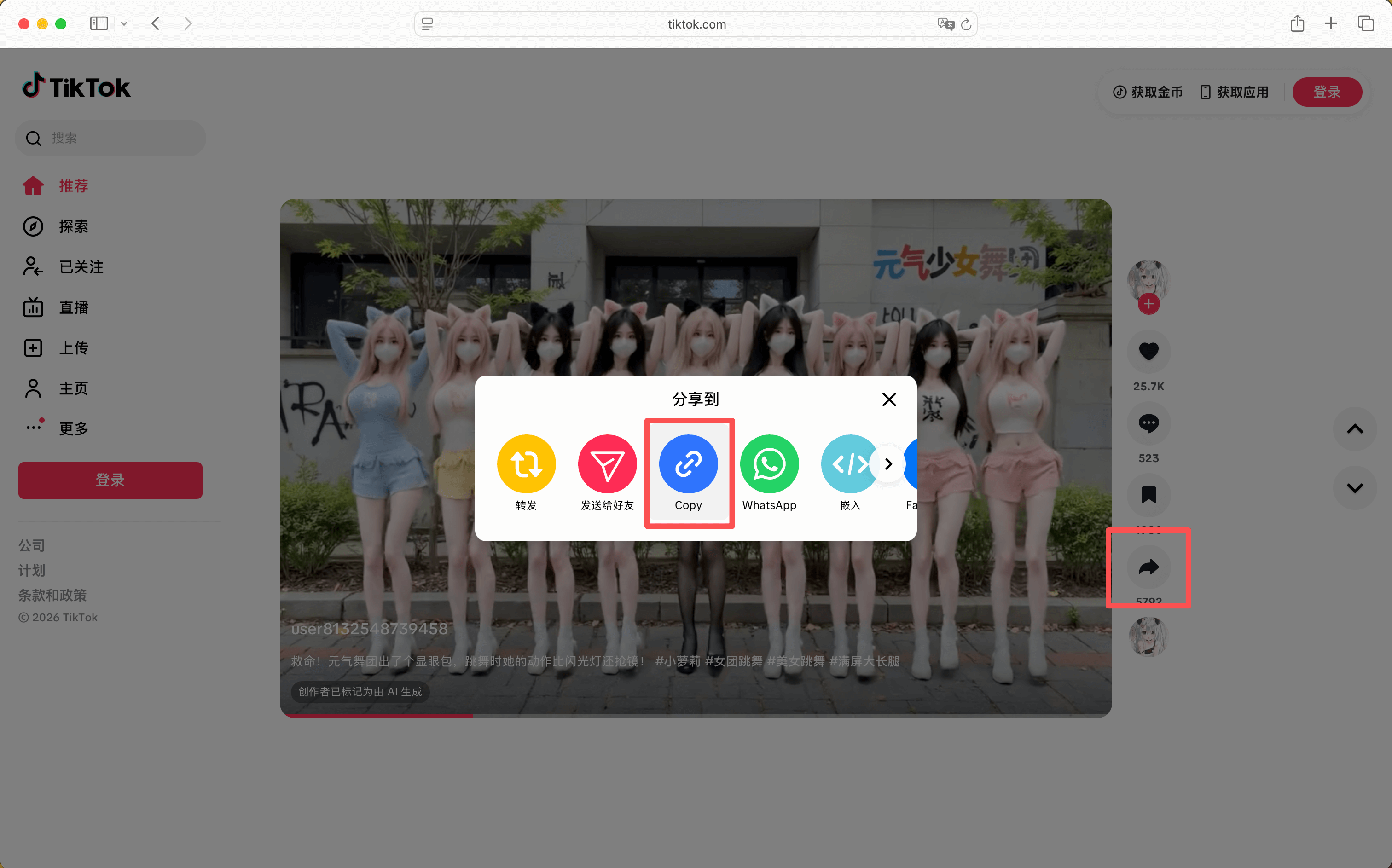
Copy the TikTok share link from the app or browser.
Option 1
Download videos online from TikTok, YouTube, Twitter/X, Instagram, Threads, Douyin, Toutiao, RedNote, and Bilibili. No login required, works in your browser, and supports mobile and desktop.
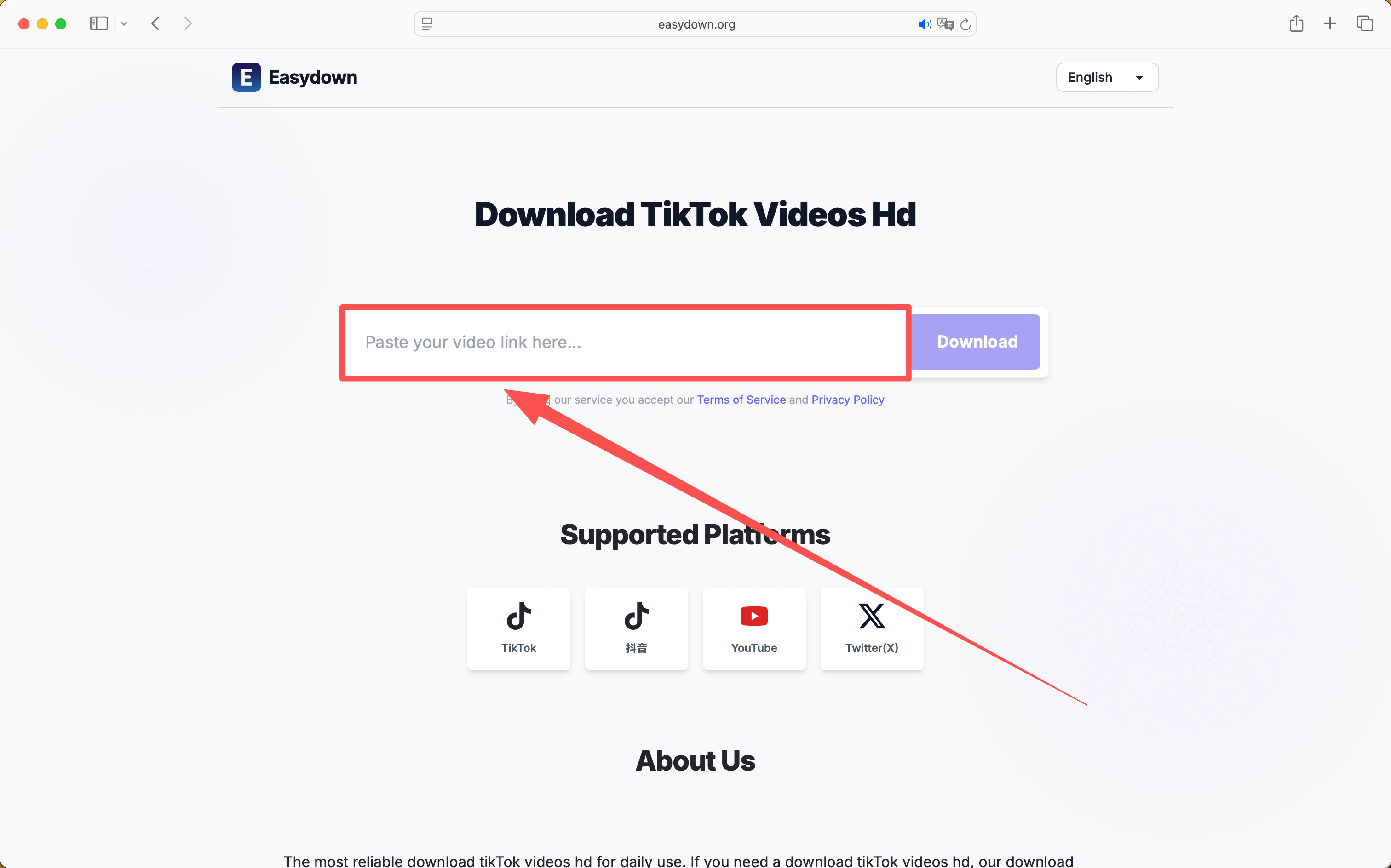
Paste a public link, choose a format, then save it locally.
Private, expired, or region-limited posts may not be available.
Paste a public link, choose a format, then save it locally.
By using our service you accept our Terms of Service and Privacy Policy
A simple guide to download videos using Easydown
Step 1
Step 2
Step 3
A calmer, browser-first workflow for saving public media links.
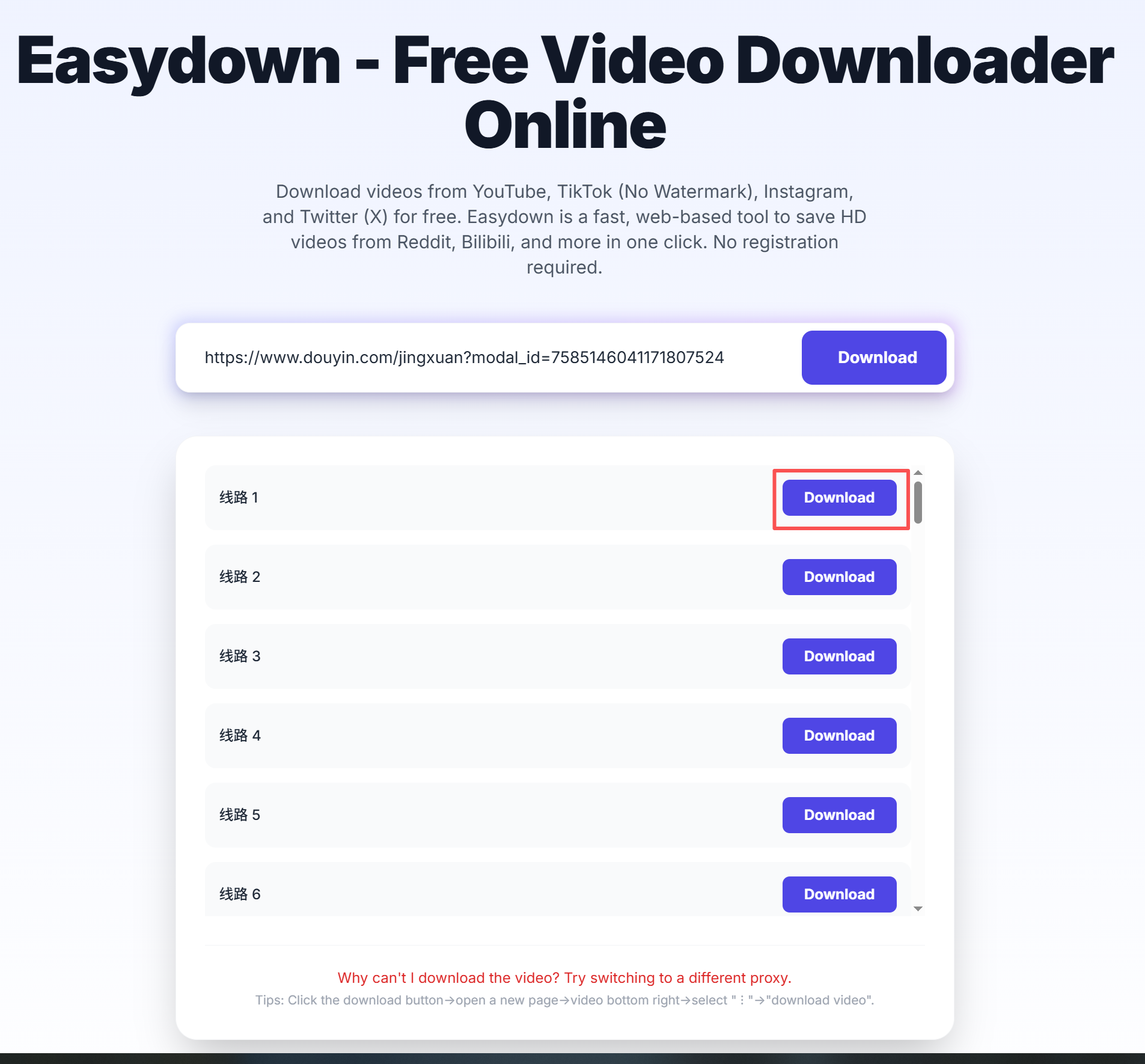
Paste a link, wait for the parser, and save the file without installing extra software.
When a platform exposes them, you can pick between standard files, higher resolutions, or audio results.
The result list shows resolution and file type so you can choose the right option before saving.
The same public link flow works on phone and desktop browsers, with no separate setup.
You can start with a public link right away, without registration or a login step.
Common issues like private posts, missing audio, and save behavior on mobile are explained on the page.
Easydown is a browser-based download tool built for people who just want a clean way to save videos without installing extra software. We keep the workflow simple: paste a public link, choose the available format, and download what you need from a phone or desktop browser.
The public downloader does not require an account. Its platform pages now use the same supported-URL and response-field source as the REST API and MCP documentation, and state known limits such as private, deleted, expired, login-only, or region-restricted content. Available files still depend on what the source exposes for each public post.