1
Step 1
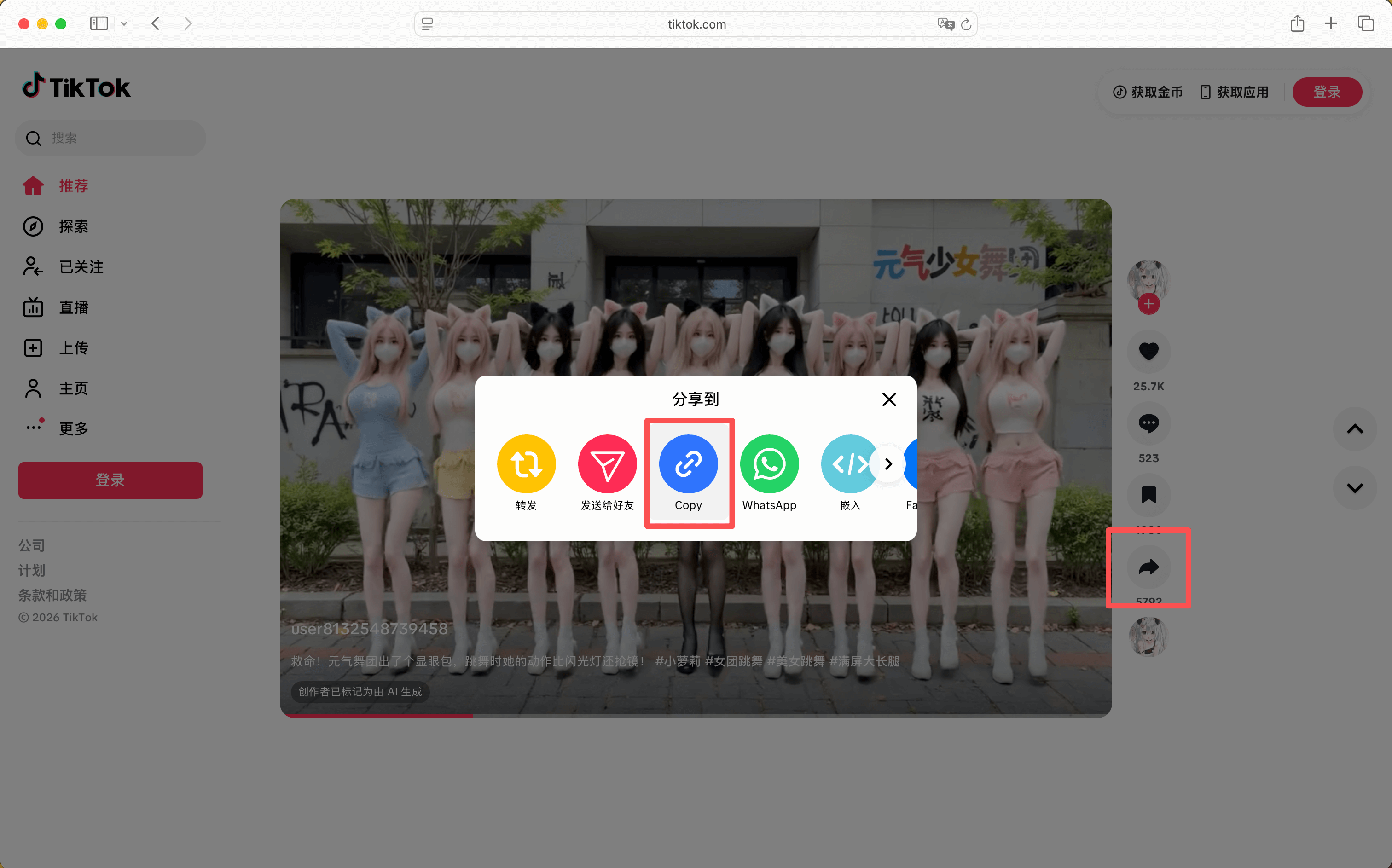
Copy the TikTok share link from the app or browser.
Option 1
Free tiktok video download in HD with no watermark. No login, no ads. Fast and secure, works on all devices.
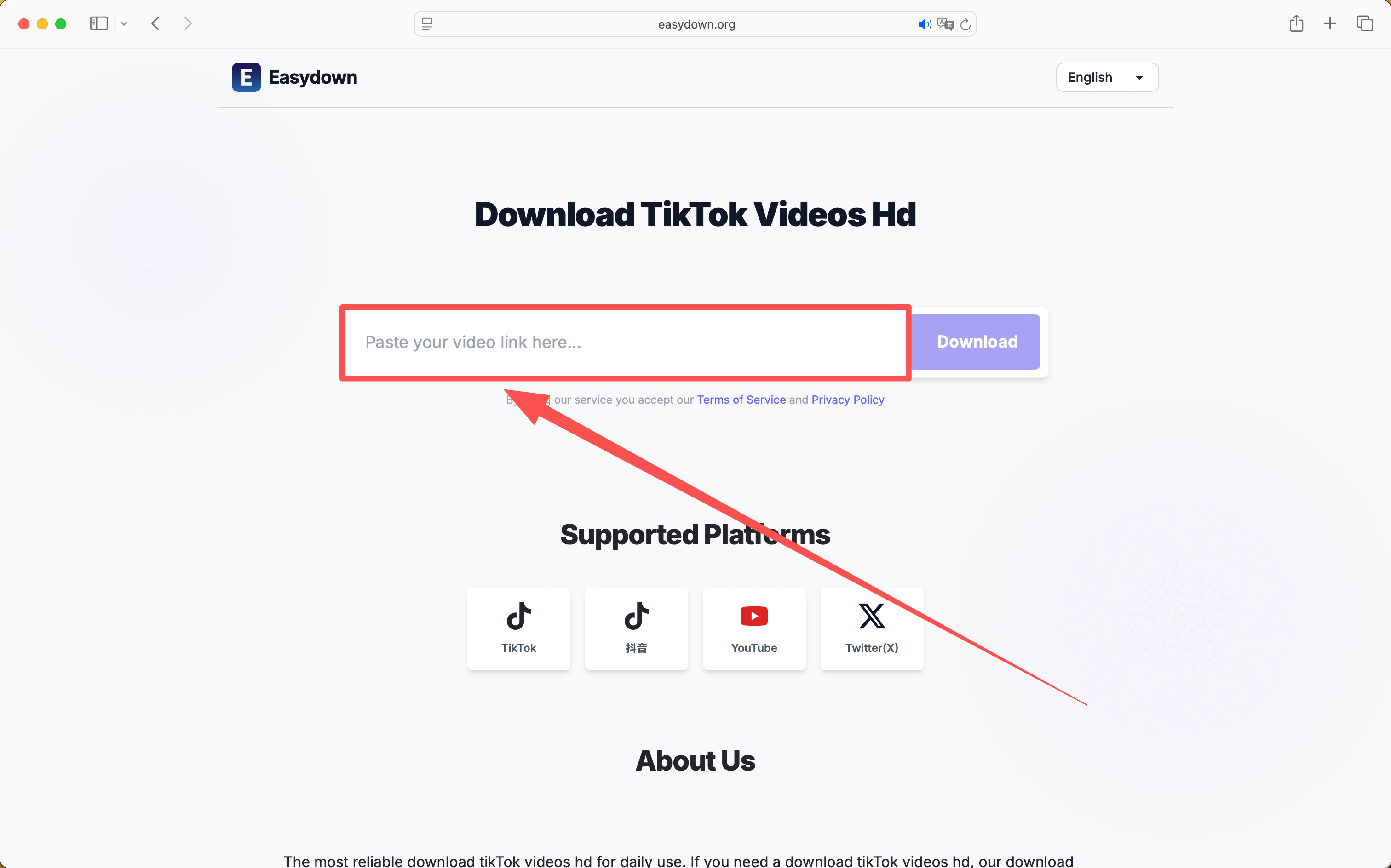
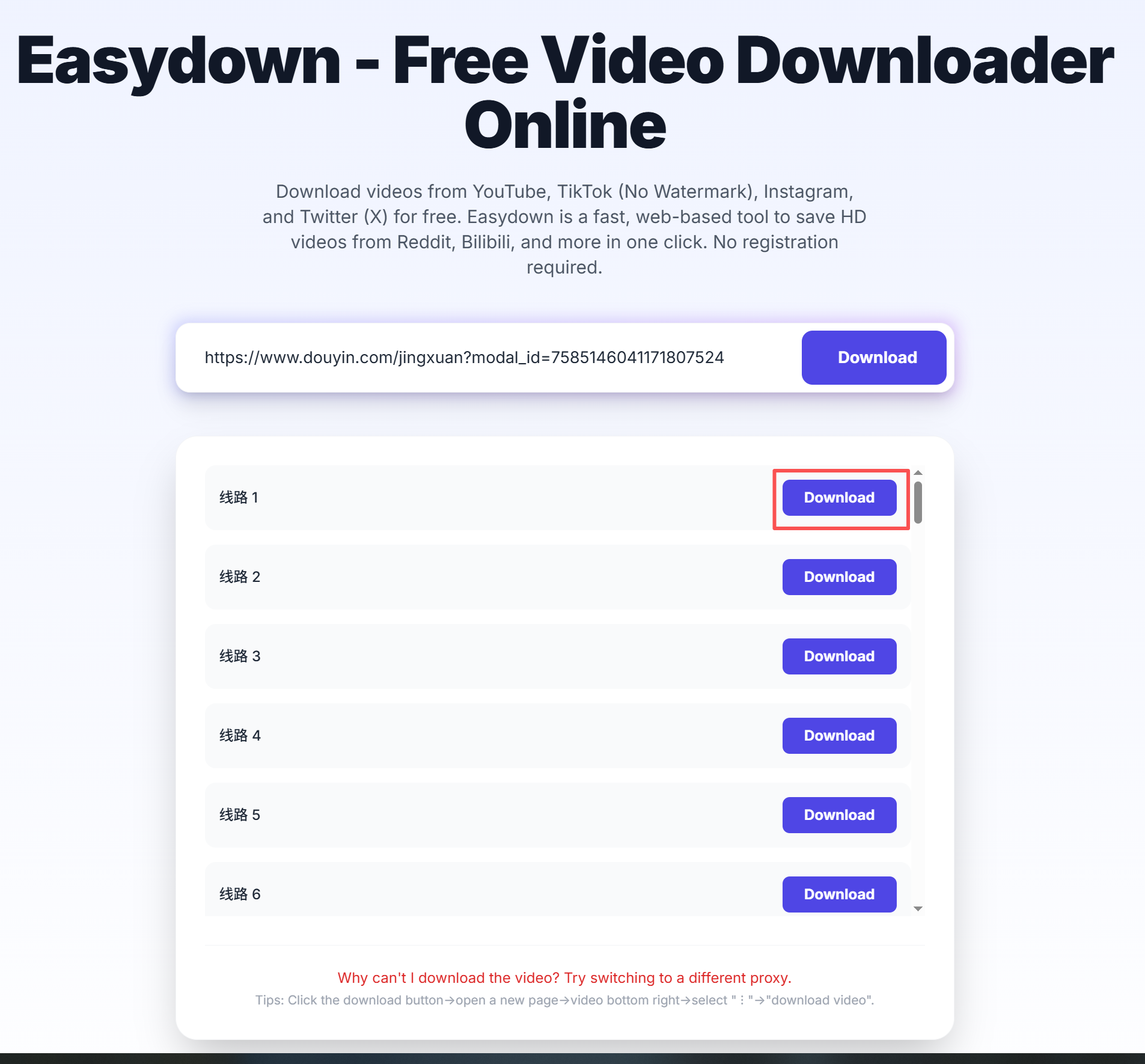
Paste a public link, choose a format, then save it locally.
Private, expired, or region-limited posts may not be available.
Paste a public link, choose a format, then save it locally.
By using our service you accept our Terms of Service and Privacy Policy
A simple guide to download videos using Easydown
Step 1
Step 2
Step 3
The most common download tasks are grouped below so you can jump straight to the part that matches your situation.
This page is built for public TikTok posts where you want a clean file for offline viewing, reference, or reuse. Paste the share link and look for the no-watermark result in the download panel.
Some posts also expose an audio-only option, which is useful when you only need the soundtrack. The same flow works on iPhone, Android, and desktop browsers, so you do not need a separate tool for each device.
Most failures come from incomplete share URLs, private posts, or redirects copied outside the TikTok app. Reopen the original post, copy the full share link again, and then retry the download.
TikTok does not make it easy to save videos in their original quality—downloaded clips from the app always come with a watermark overlay. Easydown removes that limitation entirely. Just copy the share link from any TikTok post, paste it here, and get the clean, full-HD file without any branding or compression artifacts. The process takes just a few seconds and works on any device with a browser.
Beyond watermark removal, our tool also lets you extract audio as MP3—perfect for saving trending sounds or music clips. There are no daily download limits, no account sign-ups, and no hidden fees. We keep the parsing engine updated daily to maintain compatibility with TikTok's latest changes, so you can count on a reliable experience every time.
A calmer, browser-first workflow for saving public media links.
Paste a link, wait for the parser, and save the file without installing extra software.
When a platform exposes them, you can pick between standard files, higher resolutions, or audio results.
The result list shows resolution and file type so you can choose the right option before saving.
The same public link flow works on phone and desktop browsers, with no separate setup.
You can start with a public link right away, without registration or a login step.
Common issues like private posts, missing audio, and save behavior on mobile are explained on the page.